Type less, say the same
metinbana lives in your menu bar or system tray, on Mac and Windows. Type a short abbreviation in any app — mail, chat, a form, a terminal — and it becomes the phrase you saved: a signature, an address, a reply you send ten times a day. Free, on your computer only, no account.
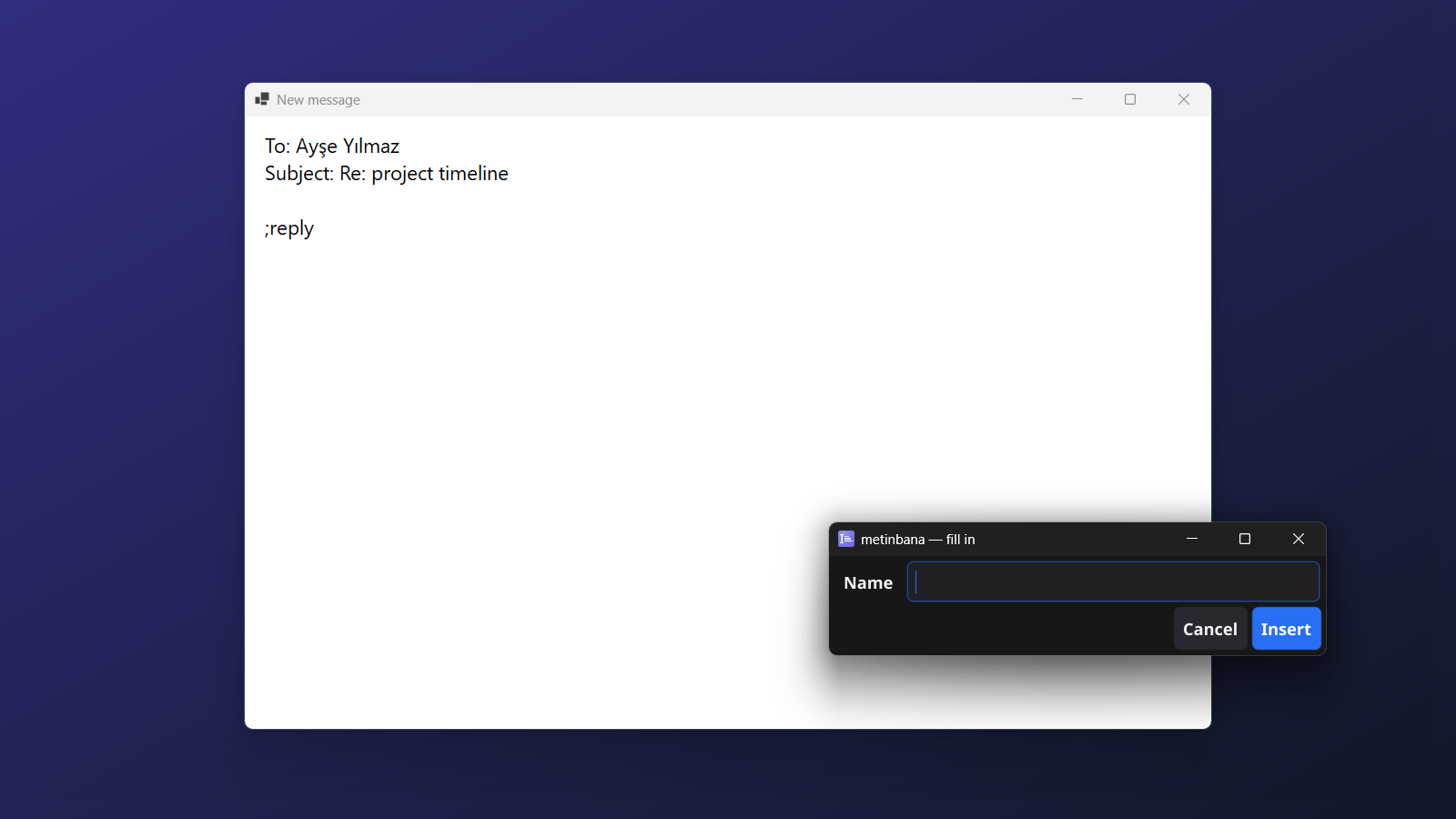
;reply and fill in a name…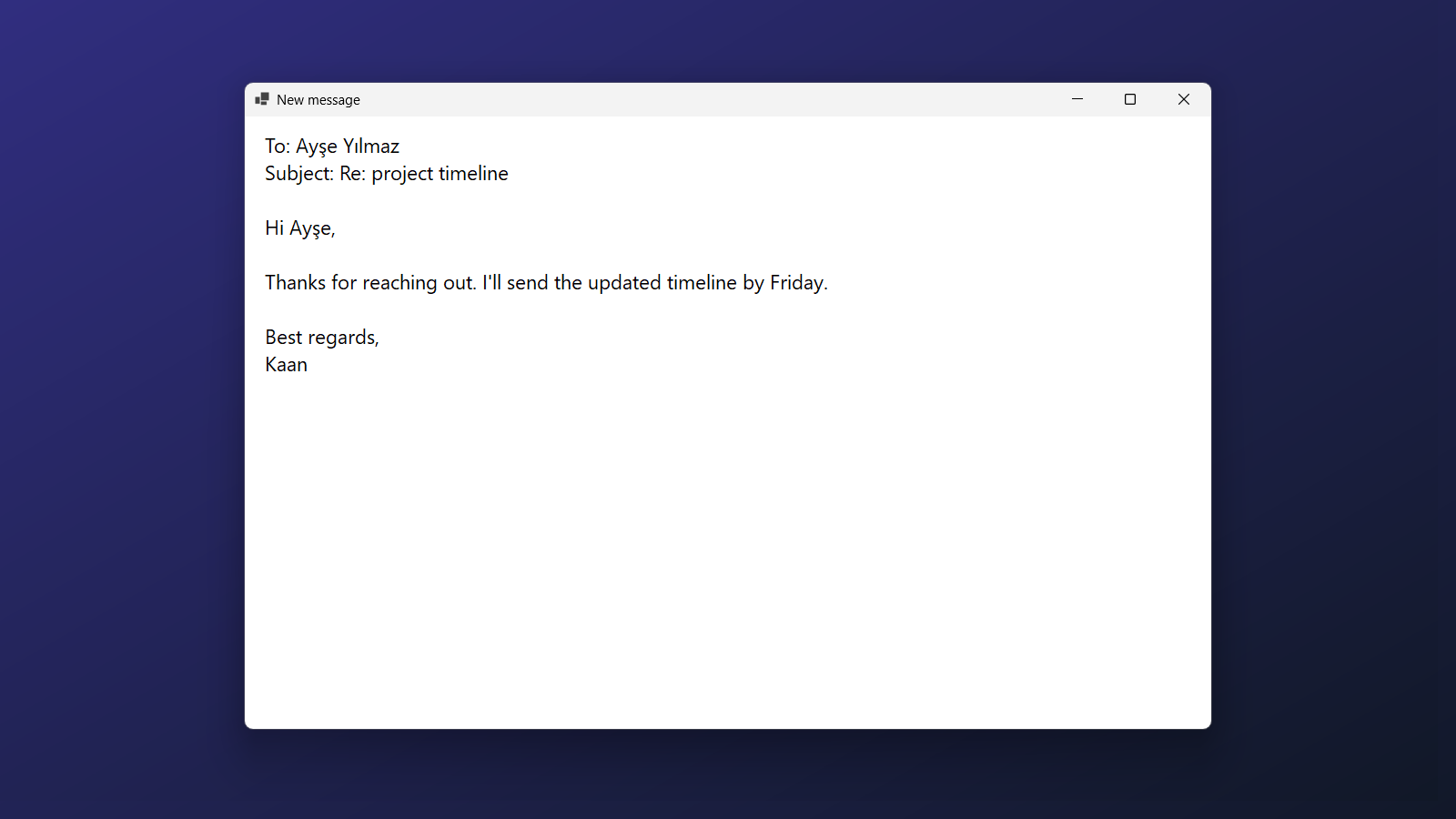
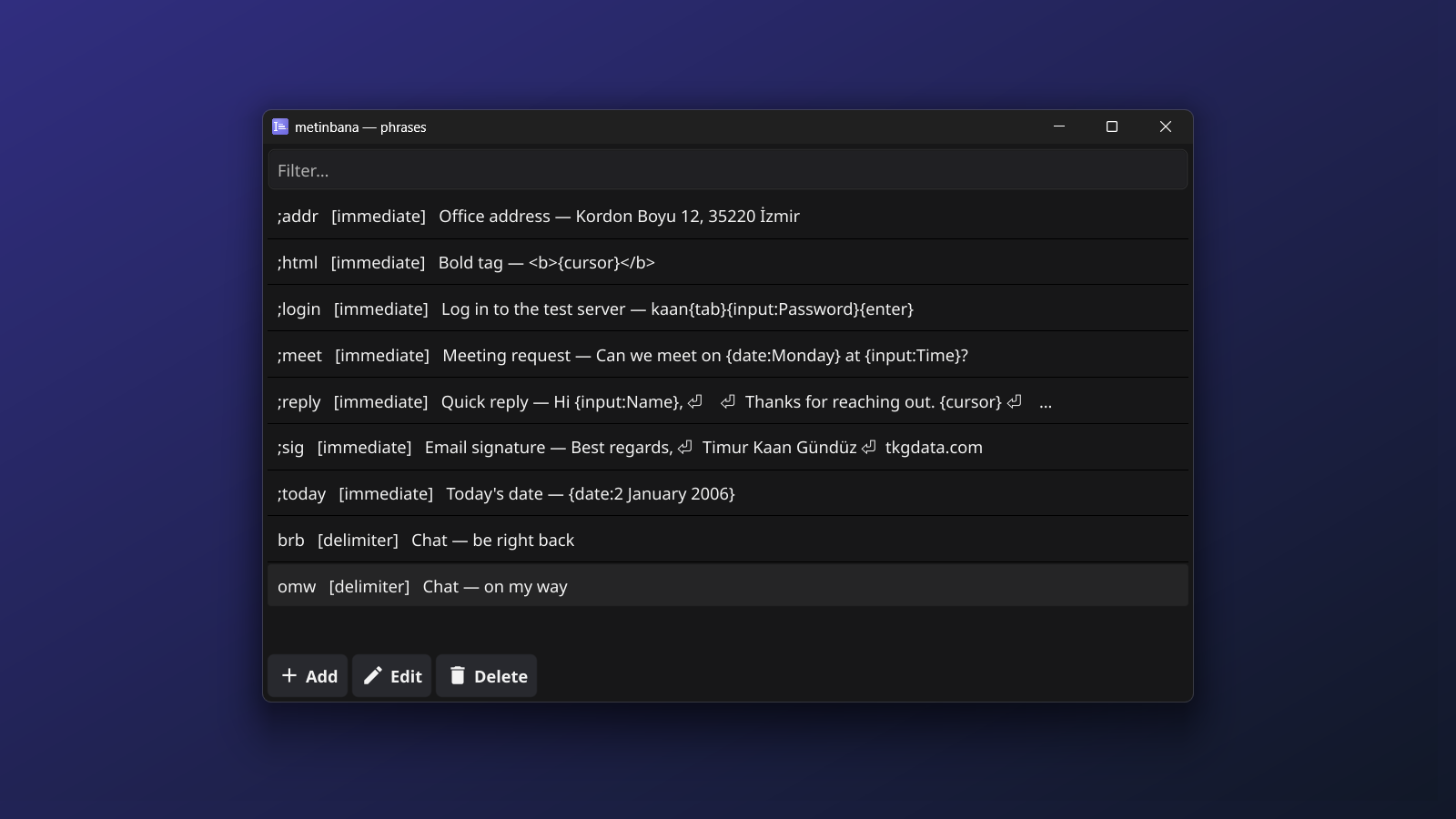
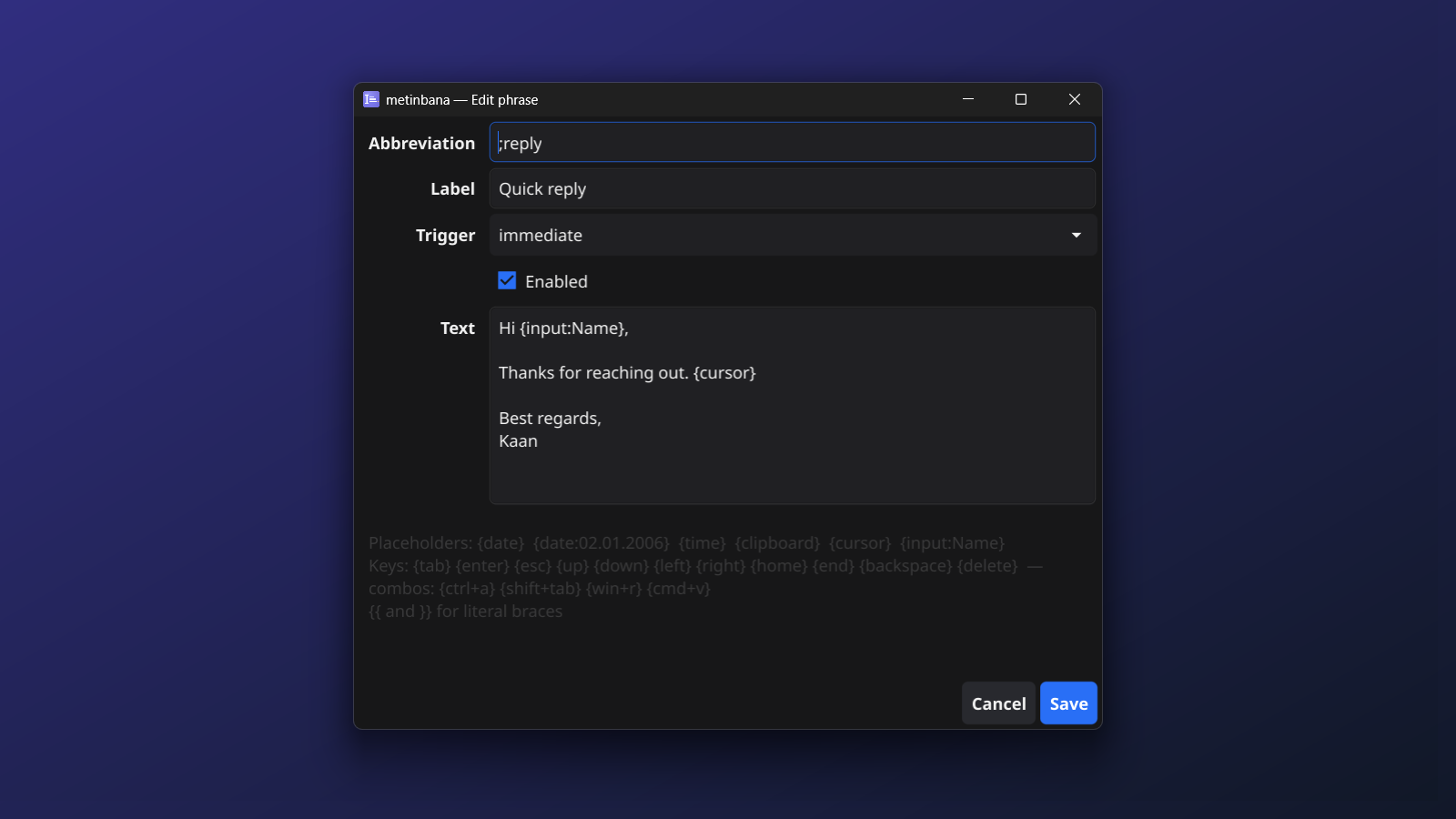
Shown on Windows. The Mac version looks the same, from the menu bar.
A few keys instead of a whole paragraph
;sig→Best regards,
Deniz
;addr→Atatürk Cd. No: 12, Çankaya, Ankara
;today→05.10.2026 {date:02.01.2006}
;hi→Hi Ayşe, thanks for your message. {input:Name} asks once, then types it
brb→be right back after a space or punctuation, as a whole word
How it works
- Anywhere you type. metinbana watches for your abbreviations and replaces them where the cursor is — any app, any text field. Short phrases are typed; long or multi-line ones are pasted, and your clipboard is put back afterwards.
- Two ways to fire. Immediately, as soon as the last character is typed — good for abbreviations that start with a symbol like
;sig. Or after a word: when you press Space, Tab, Enter or punctuation after it, so a plain word likebrbnever fires in the middle of another one. - Phrases that fill themselves in. Today's date in any format, the time, what is on the clipboard, and fields that ask you once —
{input:Name}— then type your answer in place. - Real keys, too.
{tab},{enter}, arrows and shortcuts like{cmd+v}are pressed, not pasted, so one abbreviation can fill a whole form:name{tab}email{enter}. - The cursor where you want it. Put
{cursor}in a phrase and the caret lands there, ready for the part that changes. - Every character, every language. ç, ğ, ı, İ, ş, ö, ü come out exactly as you saved them, whatever your keyboard layout.
- From the menu bar or tray. Add, edit, search and pause phrases from the icon in the Mac menu bar or the Windows system tray. Changes apply at once.
Placeholders
{date} {date:02.01.2006} | Today's date, in the default or your own format |
{time} {time:15:04} | The time now |
{clipboard} | What is on the clipboard |
{input:Label} | Asks you once; the same label used twice gets the same answer |
{cursor} | Where the caret ends up |
{tab} {enter} {esc} {up} … | Real key presses |
{ctrl+a} {shift+tab} {cmd+v} | Key combinations |
{{ }} | Literal braces |
What it does not do
- No account, no sync, no cloud. Your phrases stay in a small database on this computer. metinbana makes no network connections.
- It does not keep what you type. It remembers only the last few characters, long enough to spot an abbreviation, and never writes your typing to disk. The privacy page says exactly what it stores.
- Not in password fields on a Mac. macOS hides typing in secure fields from every app, so abbreviations do not expand there.
- Not in apps run as administrator on Windows. Windows does not let an ordinary app type into an elevated one.
- Plain text only. No images or formatted text in phrases.
On a Mac, the first start asks you to allow metinbana under Input Monitoring (to see the abbreviation) and Accessibility (to type the phrase). On Windows it works as soon as it starts.
Free on both. macOS 12 or later on Apple silicon; Windows 10 or later.