
What happened on this Mac?
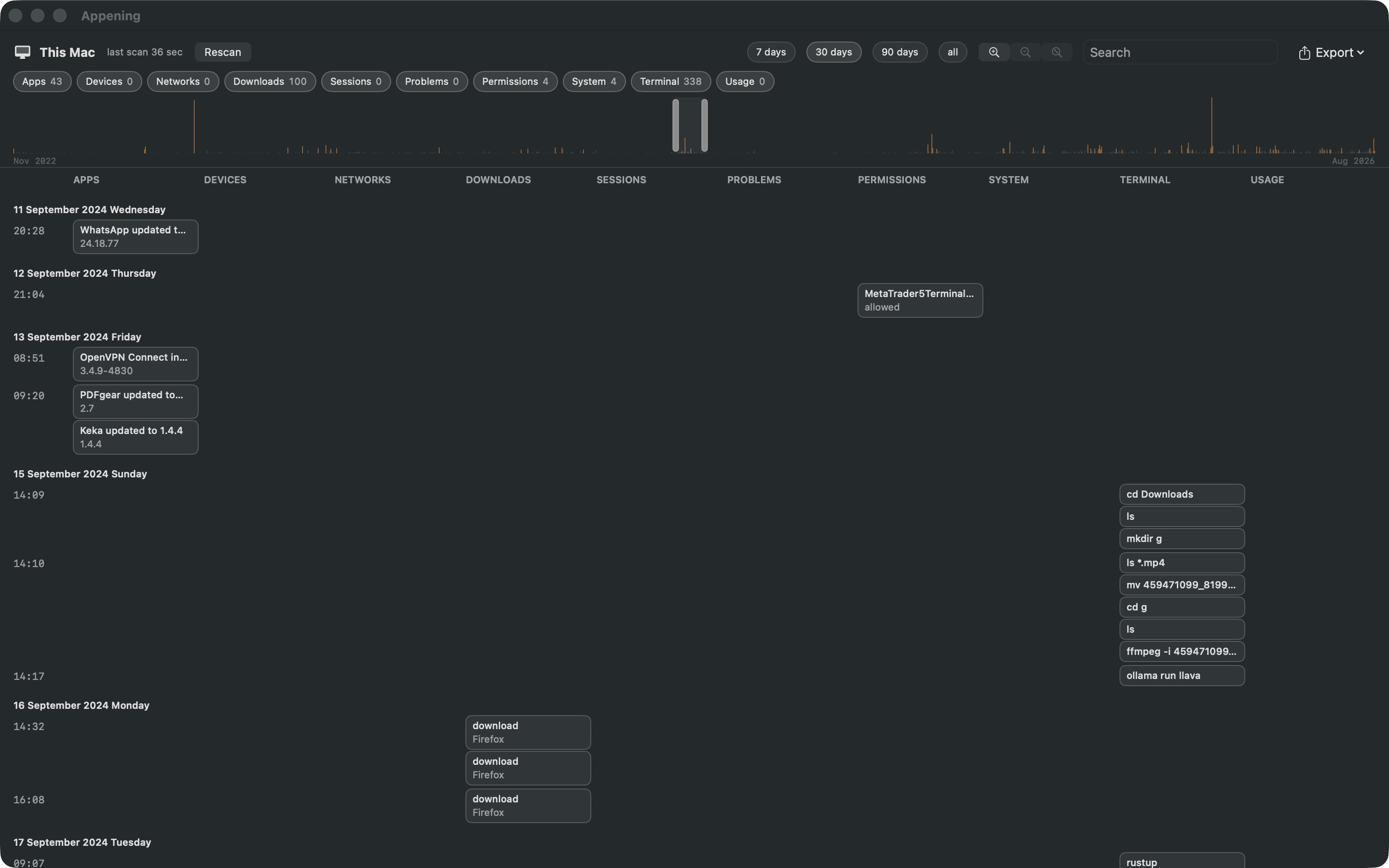
Appening reads the logs and preference files macOS already keeps and lays them out on one time line: ten columns side by side, one time axis, every event with its evidence. Pick your home folder once, scan, and read. Nothing leaves the Mac — the app has no network access at all.
How it works
- Apps. Installed, updated, in the Dock — with versions and the installer that did it.
- Devices. USB devices plugged in and pulled out, with names and how long; Bluetooth connections with models.
- Networks. When the Wi-Fi network changed, when a wired link came up or down.
- Downloads. Every file a browser, mail client or AirDrop delivered — from which address, by which app, when.
- Sessions. Logins and logouts with their length; sleeps and wakes.
- Problems. Every crash, hang and kernel panic report.
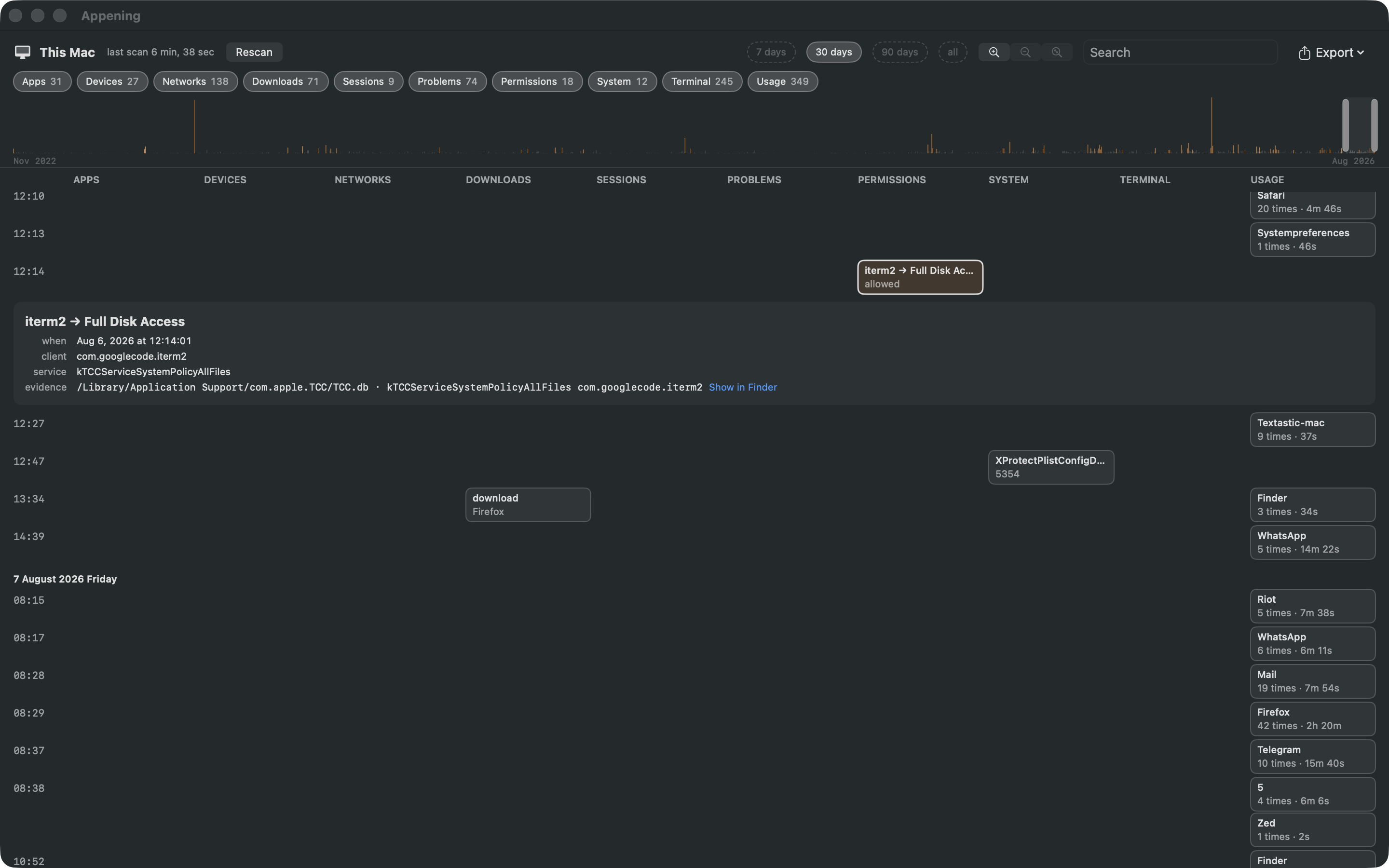
- Permissions. Which app was allowed or refused the camera, microphone, screen, disk — and when.
- System. Boots, shutdowns, macOS updates, time changes.
- Terminal. The shell's own history;
sudo,curl | sh,rm -rfand the like are marked. - Usage. Which app was in use and for how long, per day.
Events that belong together are linked: the download that preceded an install, the permission an app asked for right after, the command typed while a USB stick was in. Search everything; export the visible range as PDF or CSV.
What it does not do
- It does not judge. There is no score and no "suspicious"; events are shown with their evidence and you read them
- No server, no account, no network. The app is sandboxed without the network entitlement
- It does not watch. It reads what is already on disk when you press Scan
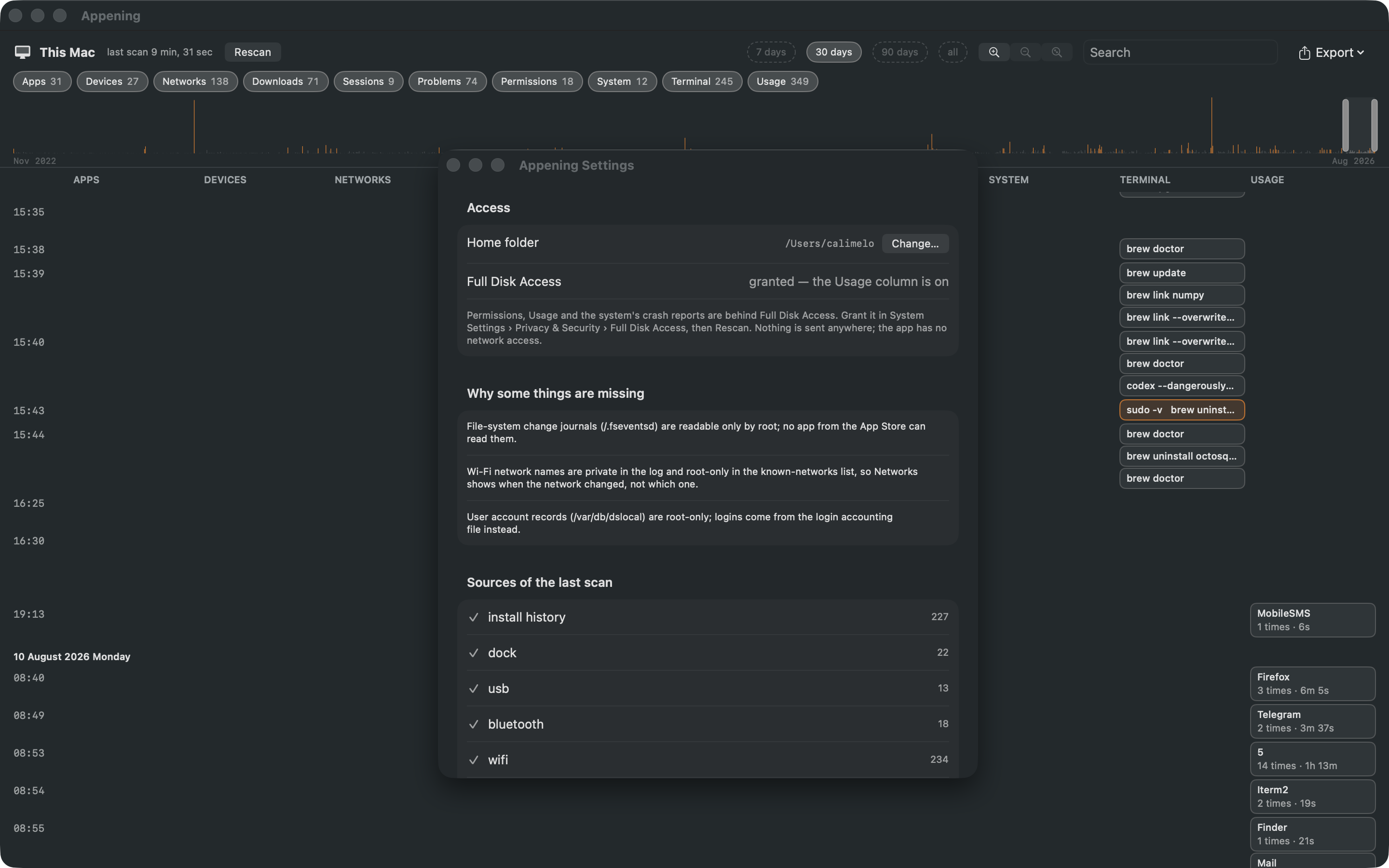
- It cannot read what no App Store app can: the file-system journal, Wi-Fi network names, user account records — Settings lists them
Permissions, Usage and the system's crash reports need Full Disk Access; the app says so and works without it. English and Turkish. Requires macOS 26 on Apple silicon.
Be there on day one
Appening is in App Review. Leave an email and you will get exactly one message: the one that says it is out.
Your address stays on our server and is used for this alone. One line, deleted on request.