
What does the file say? No verdict.
Drop a picture on the window. PhotoProof reads what the file claims about itself, checks its Content Credentials, reads how it was compressed and looks at the pixels — then tells you, one sentence per finding, what the evidence shows. On your Mac or Windows PC; the app makes no network connections at all.
How it works
A report in seven parts, each a different kind of evidence:
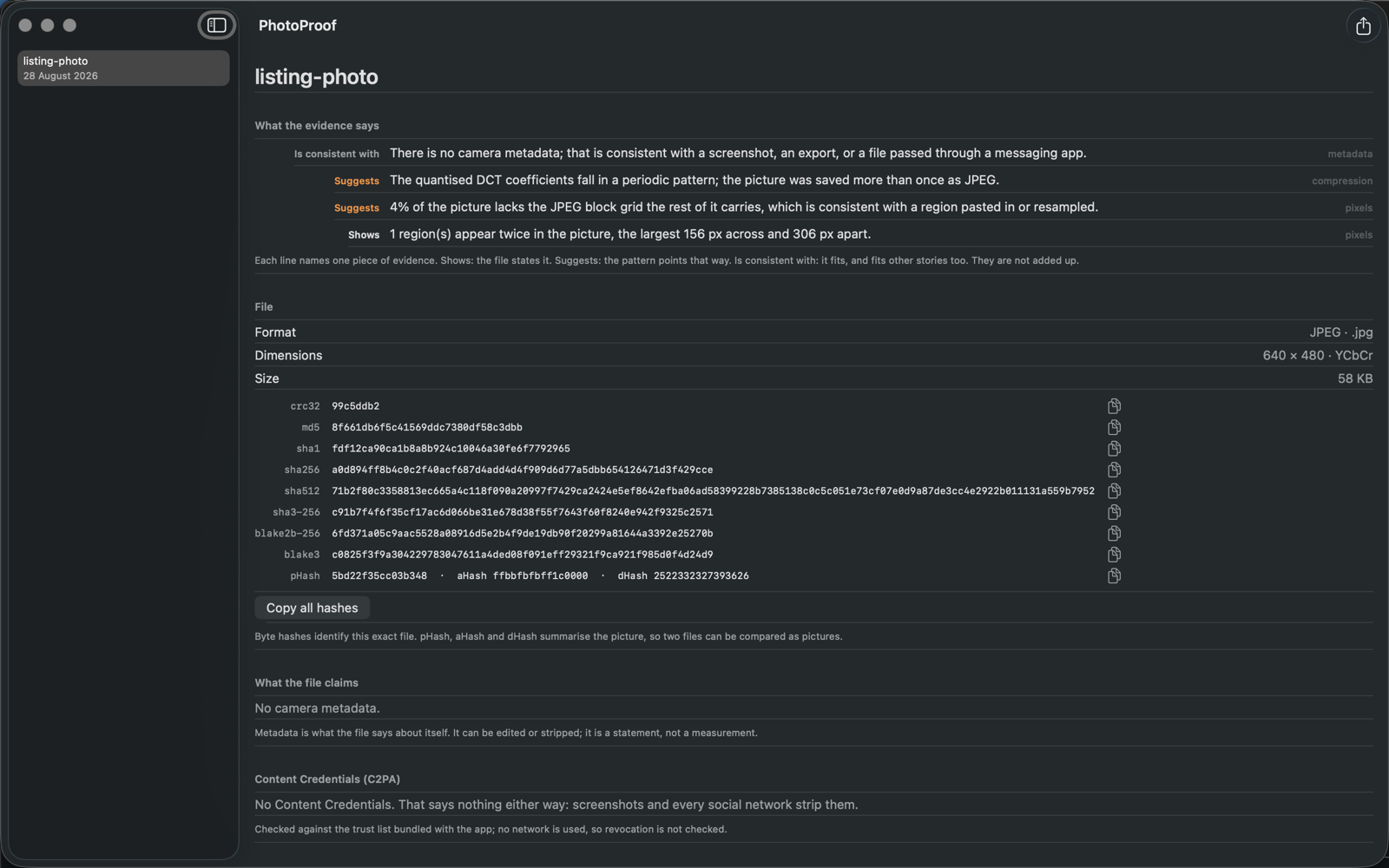
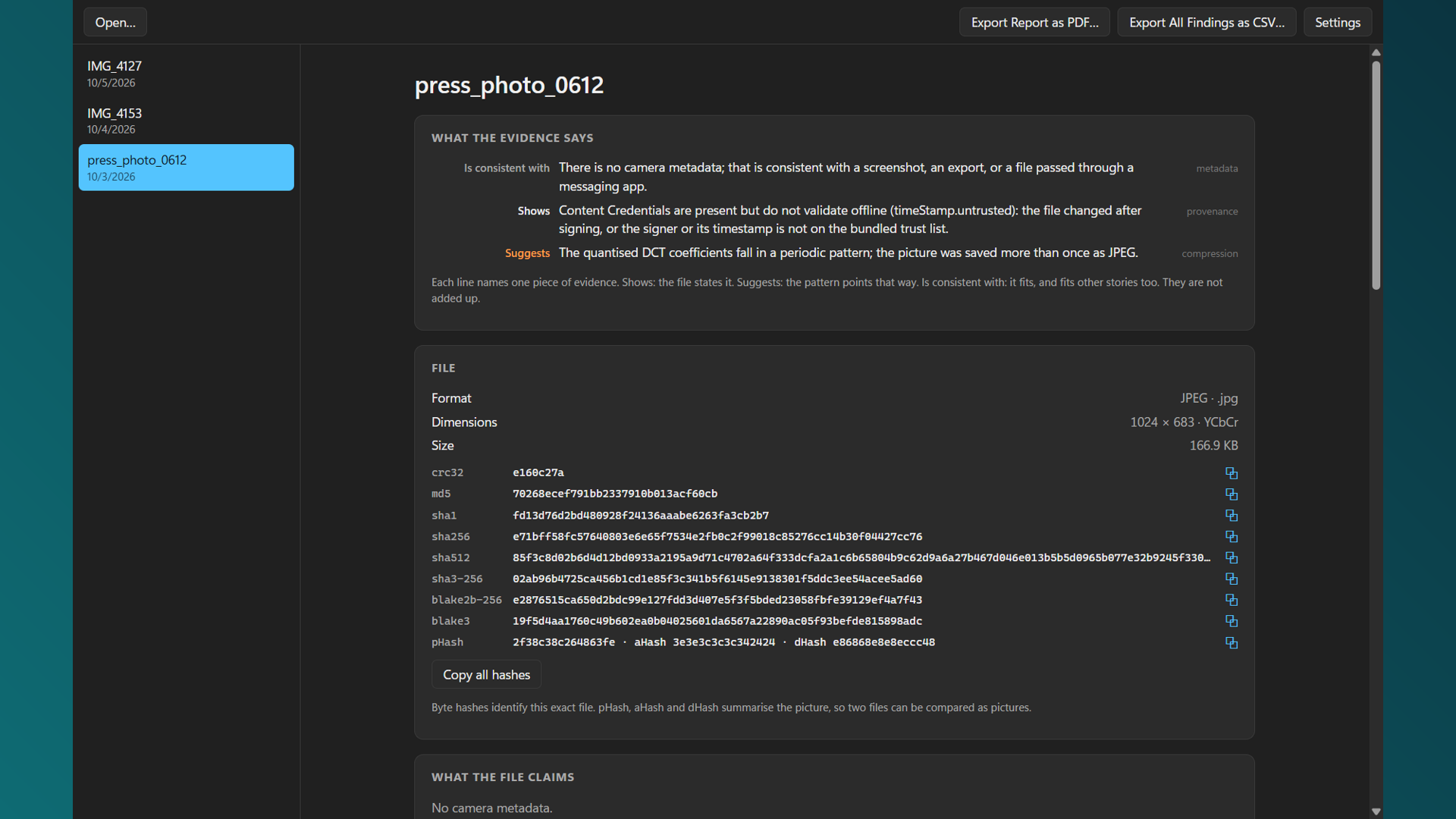
- What the evidence says. Every finding is one sentence naming one piece of evidence, with one of three words: shows — the file states it; suggests — the pattern points that way; is consistent with — it fits, and fits other stories too. They are never added up into a number.
- File. Format by its bytes, dimensions, and every hash: CRC32, MD5, SHA-1, SHA-256, SHA-512, SHA3-256, BLAKE2b, BLAKE3, plus pHash, aHash and dHash for comparing pictures rather than bytes.
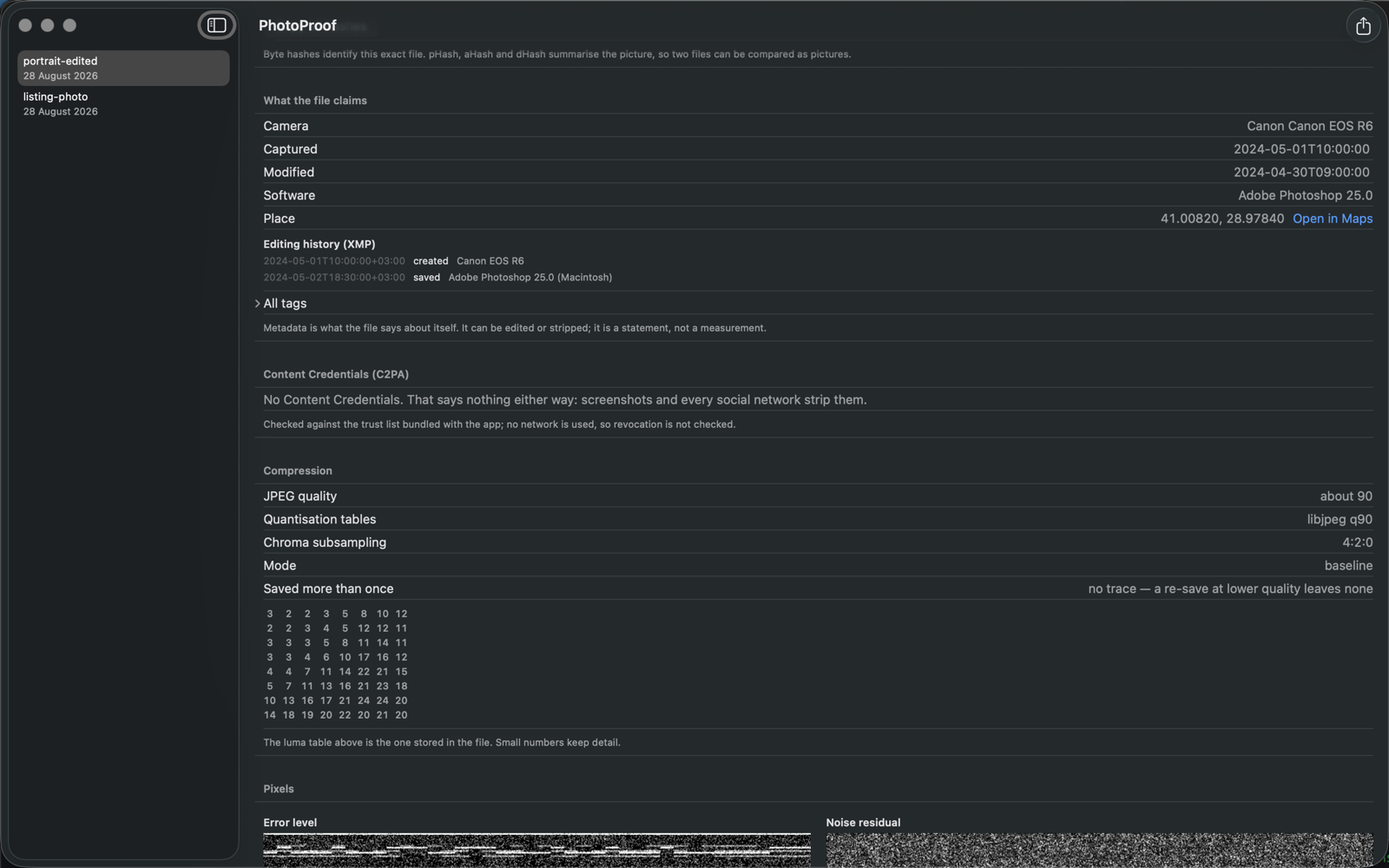
- What the file claims. Camera, lens, dates, place, software, creator, the XMP editing history and the embedded thumbnail — and the contradictions: an editor in the software tag, a modify date before the capture date, timestamps in different zones, a thumbnail that no longer matches.
- Content Credentials. C2PA read and validated offline against the bundled trust list: signer, tool, AI-generated flag, every status code. Absence is stated as absence, not as evidence.
- Compression. JPEG quality, whether the quantisation tables are the standard scaled set or a camera's or editor's own, chroma subsampling, and the comb in the coefficient histogram that a second save at higher quality leaves.
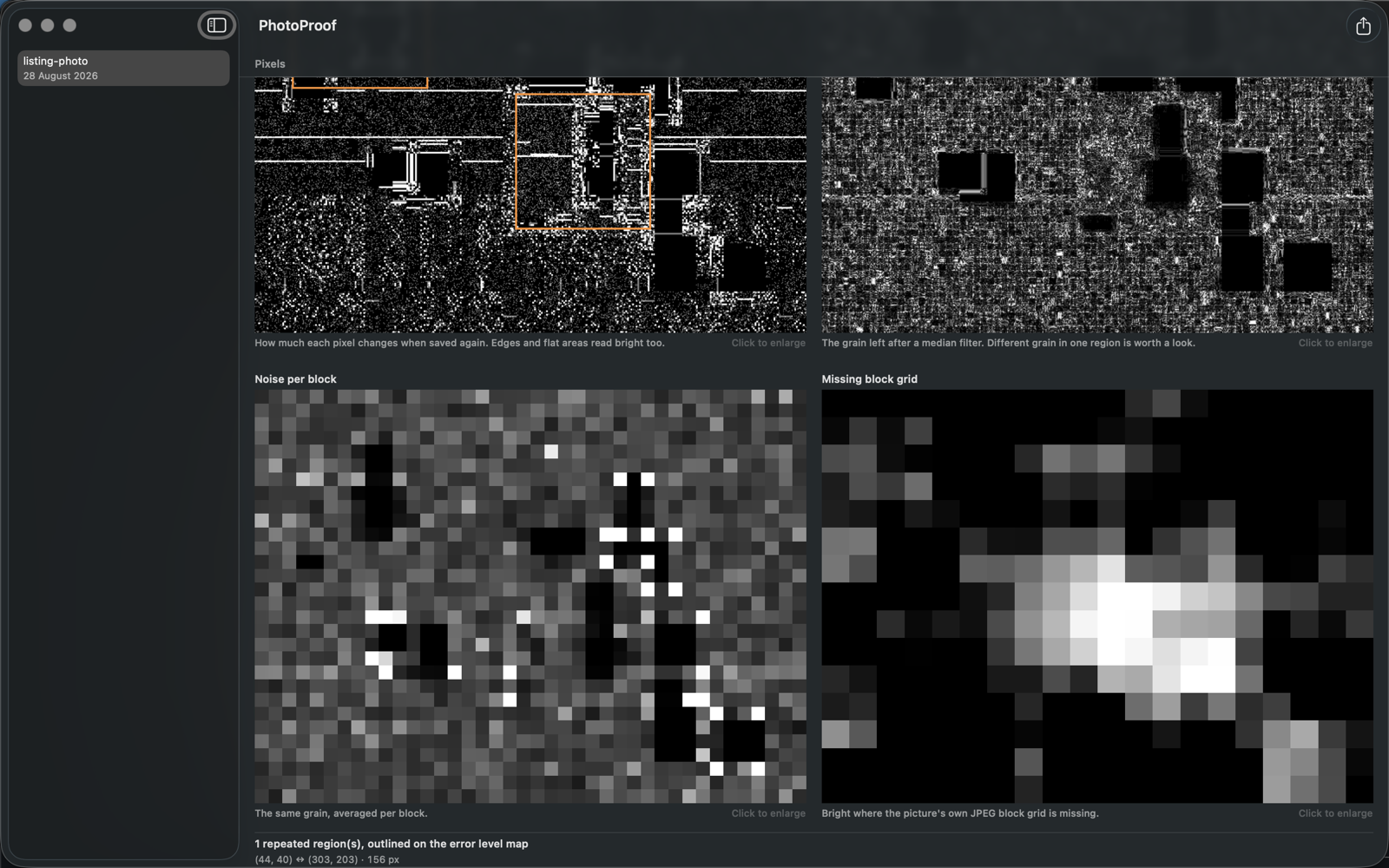
- Pixels. Error level analysis, noise residual and noise per block, and a map of where the picture's own JPEG block grid is missing — the trace a pasted or resampled region has lost. Repeated regions are found by block matching and outlined.
- Known marks. Stable Diffusion, DALL·E, Midjourney and Adobe Firefly signatures in the metadata; the marks of a screenshot.
Export the report as a PDF, or every finding of every picture in the sidebar as a CSV. Reads JPEG, PNG, TIFF, WebP and GIF on both, and HEIC on Mac.
What it does not do
- It does not say real or fake. A single verdict is what people want and what misleads them; PhotoProof shows the evidence and says how far it reaches
- No server, no account, no network. On Mac the app is sandboxed without the network entitlement; on Windows it contains no networking code. Your picture does not leave your computer
- No face or deepfake classifier. A model's opinion is not evidence; a file's metadata, credentials and compression are
- Not a court tool. It is the first look, for anyone deciding whether to trust a picture
English and Turkish. Mac: macOS 26 on Apple silicon. Windows: Windows 10 (version 1809) or later, 64-bit.
Want a free copy?
Leave an email and we will send a promo code while the batch lasts. If you like it, a review on the App Store is the whole price.
Your address stays on our server and is used for this alone. One line, deleted on request.